Schema for SaaS companies
In the fast-growing, multi-billion-dollar Software as a Service (SaaS) market, a strong digital presence is essential to outperform competitors. One of the most effective ways to strengthen it is by adding structured data, or schema markup, to your website.
Structured data is useful for any website, but it’s especially valuable for SaaS companies. It helps Google parse details about your products, pricing, and brand for rich results, and it also makes those same details easier for AI answer platforms, such as Google’s AI Overviews, to cite when they draw information from your pages.
Let’s look at how SaaS companies can implement schema markup to improve online visibility.
What is schema markup?
Schema markup is code, based on the Schema.org vocabulary, that you add to a page’s HTML, usually in JSON-LD format. It gives search engines and AI tools extra context about your content and its specific elements, making it easier for them to pull out the right information for relevant queries and prompts.
For SaaS brands, structured data makes it easier for search engines, AI tools, and people to understand what you sell. It can also make your pages eligible for rich results that show extra details, such as prices, ratings, and product information.
Why is schema important for SaaS companies?
The SaaS market keeps growing, and search engines and large language models (LLMs) keep getting better at understanding websites. Schema markup gives them the context they need about your products and services, such as:
- Product pricing information
- Breadcrumb navigation
- Customer reviews and ratings
- Questions and answers
- Job postings
Schema can change how your products and services appear in search results. For example, eligible pages can be displayed in rich results with details such as pricing and review ratings, making your listing more informative than a standard blue link. That’s particularly useful at the consideration stage, when buyers are researching and comparing SaaS tools.
Clear, structured product information also makes your content easier for search engines and AI tools to process. Whether that leads to more citations in AI Overviews or AI Mode is something to measure template by template, and our research into structured content and AI Mode looked at exactly this question.
On pricing, comparison, and product pages, rich results can also win you more space in the search engine results page (SERP). Track click-through rates and trial or demo conversions by template to confirm the commercial impact – our guide to how SEO can help generate SaaS product demos explains how these pieces fit together.
Schema for SaaS sites
There are hundreds of schema types, each describing a different kind of information. For SaaS sites, the most relevant are software application, product, review, organisation, and FAQ schema. Here’s a quick overview of each.
SoftwareApplication schema
SoftwareApplication schema describes an app. Useful properties include:
- applicationCategory – the type of software
- availableOnDevice – the devices needed to run the app
- countriesSupported and countriesNotSupported – where the app is and isn’t available
- featureList – the features the app provides
- operatingSystem – the operating systems supported
- releaseNotes – changes in new and updated versions
SaaS products in areas such as web development, data management, and API design are among those that benefit most from this schema type.
The more specific information you supply through SoftwareApplication schema, the easier it is for search engines to understand complex SaaS products. This can help your pages match niche, long-tail queries about things like operating requirements and app versions.
WebApplication schema
WebApplication schema is a subtype of SoftwareApplication, designed for products people use in a web browser rather than downloading. Its key property is browserRequirements, which signals that the product is cloud-based and browser-accessible.
This helps search engines distinguish between SaaS products used in a browser (such as Canva) and software that needs to be downloaded and installed (such as the desktop version of Microsoft Word).
Review schema
Adding review schema to a product page lets Google show review information in search results, such as the star rating and total number of reviews. This usually appears below the page title, like this:

A review snippet helps your SaaS listing stand out in the SERP. Because SaaS companies sell services rather than physical goods, buyers rely heavily on real reviews when deciding where to sign up or subscribe.
Reviews matter most at the consideration and buying stages, when decision-makers are comparing options. Seeing a strong star rating straight away builds trust and credibility, and in a competitive market, it could be the difference between a click and a lost lead.
It’s important to ensure all reviews displayed are genuine, and your markup meets Google’s review snippet guidelines. For example, Google doesn’t show star ratings for reviews a business publishes about itself in its Organisation markup. For more tactics, see our rich snippet strategies for ecommerce sites – many apply to product-like SaaS pages too.
Organisation schema
Organisation schema is widely used on SaaS sites. It gives search engines key information about your company, including your:
- Name
- Logo
- Location and areas served
- Contact information
- Social media profiles
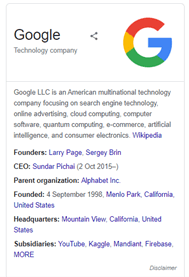
This helps Google present consistent brand details, such as your logo and contact information, which builds trust by showing your business is legitimate. Most SaaS companies don’t compete in local search, so focus on brand details, company information, and sameAs links to your official profiles, rather than local listings.
Here’s an example of organisation schema:
FAQ schema
FAQ schema marks up questions and answers on a page. It’s used across all industries, and for SaaS, it’s a natural fit for questions about pricing, features, and integrations.
However, Google stopped showing FAQ rich results in Search in May 2026, after limiting them to a small number of government and health websites in 2023. So FAQ markup will no longer give your SaaS pages extra space in Google’s results.
FAQPage is still a valid Schema.org type, though, and well-structured question-and-answer content remains useful. Clear answers to common questions help buyers during the comparison stage, and they’re easy for search engines and AI tools to extract when answering specific queries.
If you keep FAQ content on your pricing, feature, and comparison pages, make sure it’s genuinely useful. Don’t duplicate FAQs across multiple pages or add filler questions, as this adds little value.
Schema for monthly and annual pricing options
Although SaaS sites work like many transactional sites, they usually sell subscriptions rather than one-off purchases. That means your product schema probably needs to reflect a subscription model.
For subscription billing, model your offers around monthly and annual plans, including the price and billing period for each, and validate your markup before publishing. For a worked example, see this schema example for SaaS subscription products from our very own Dan Taylor.
Product schema
You can mark up SaaS offerings with product schema, even though they’re technically services. This lets you describe pricing, features, and product details in a structured way. Properties such as product variants, offers, and aggregate ratings help decision-makers compare SaaS options.
Service schema
Service schema can be used alongside product schema to describe the services your SaaS business provides. Its main properties cover the service description, service type, and provider, making it a useful option for service-led SaaS companies.
Using multiple schema types
You can use more than one schema type on a page, as long as you follow Google’s structured data guidelines – in particular, the markup must describe content that’s visible to users. For example, you could add product and review schema to the same page, as long as the page shows both product details and reviews.
How to add structured data to your SaaS site
There are a few ways to add structured data to your site, but JSON-LD is Google’s recommended format. It’s a small block of code that sits in a <script> tag in the page’s <head> or <body>. Search engines favour it because:
- It’s easy to read, write, and maintain
- It supports any Schema.org type, so you can use one consistent approach across your site
- It sits separately from your page’s visible HTML, so it’s less likely to break existing pages
Testing structured data on your SaaS site
Always test your structured data to check it works. Google’s Rich Results Test shows whether a page is eligible for Google’s rich results, while the Schema.org validator checks your markup against the full Schema.org vocabulary.
Once it’s live, keep an eye on Search Console too – our guide to fixing common JSON-LD structured data issues in Google Search Console covers the most frequent errors.
Scaling your schema implementation
Most SaaS sites are large, with many different page types, so creating schema markup for each page by hand could be incredibly time-consuming.
Instead, create schema templates for each section of the site, such as pricing, product, feature, and contact pages. When you roll them out, get your product, offer, and organisation markup consistent before adding more specialist types. Our analysis of schema implementation across 100 top ecommerce websites is a useful benchmark for how large sites approach this.
Implement schema for your SaaS site with SALT
Think your SaaS website could be more competitive with schema, but not sure where to start? Our experts can assess your site and advise on where structured data will make the biggest difference, as part of our SaaS SEO and wider technical SEO services.
Get in touch to discuss your SaaS website and how schema could help improve its performance.


